
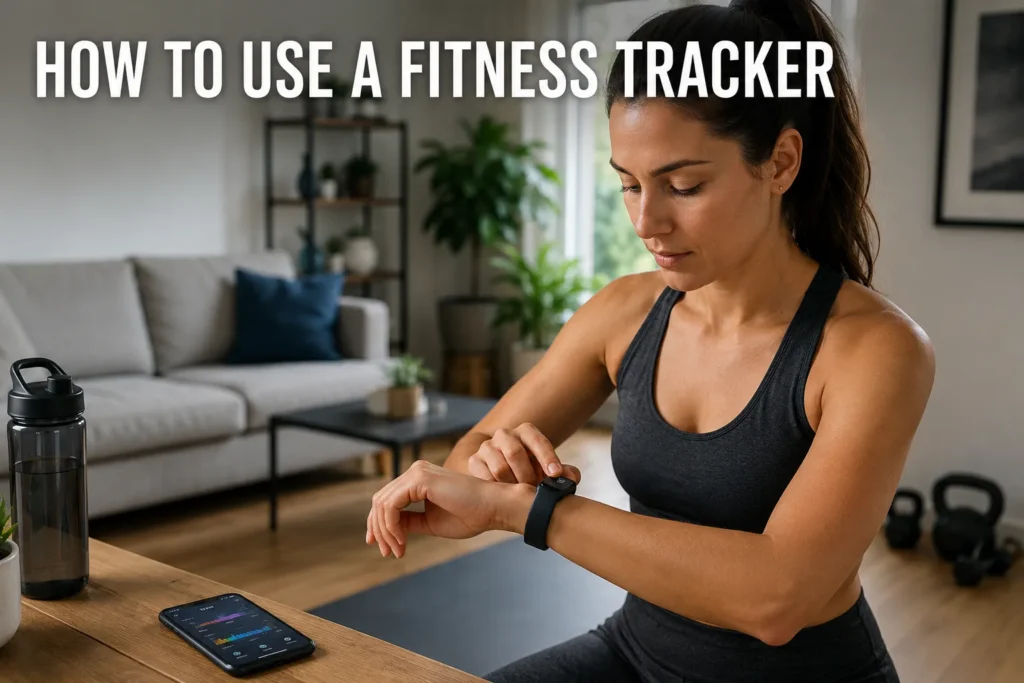
Learning how to use a fitness tracker correctly is the difference between a useful health tool and an expensive wrist ornament. Most people charge their device, set it on their wrist, and never touch the app settings again. That approach leads to step counts that are off, sleep data that makes no sense, and calories that feel more like guesses.
In this guide, I cover everything: first-time setup, how to connect your fitness tracker to your phone, what your metrics actually mean, and how to use that data to build habits that last. I also address the common questions people run into after the first few weeks of use.

How to Use a Fitness Tracker - First-Time Setup and Pairing
The first-time setup process is where most users either get it right or develop habits that hurt accuracy for months.
Here is the order that works best.
Step 1 - Charge and Unbox Your Device
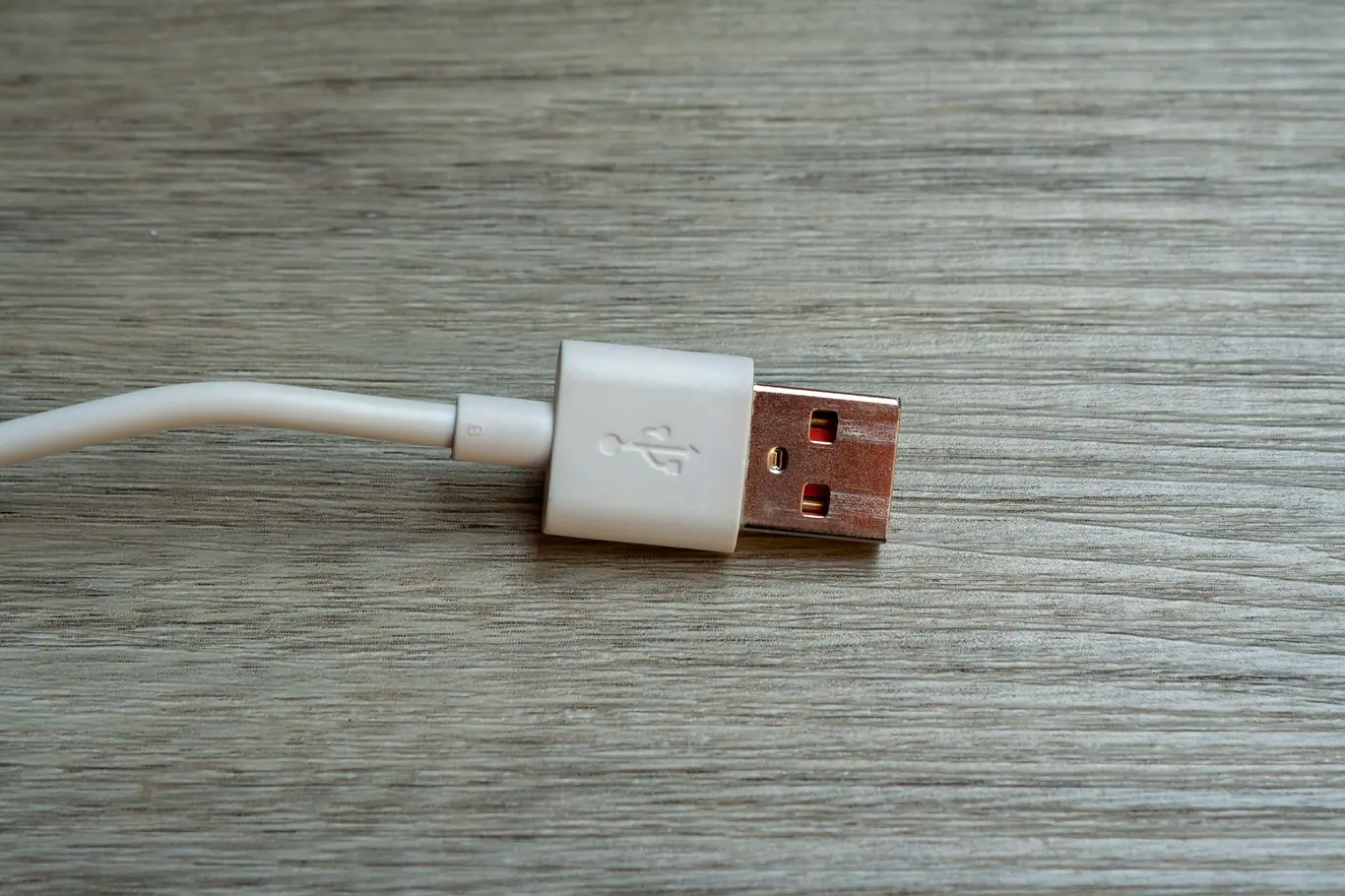
Before you pair anything, charge your tracker to at least 50 percent. Most devices ship with minimal battery, and a dead tracker mid-setup is one of the most common frustrations new users encounter. Use the proprietary cable that came in the box - these chargers are not interchangeable between brands.
While it charges, inventory what is in the box:
- The tracker or fitness tracker bracelet band itself
- A brand-specific USB charging cable
- A quick-start card listing the companion app name
- Optional: extra band sizes or a charging dock
Locating the app name on the packaging or quick-start card before you open the app store saves 20 minutes of searching. It is usually printed clearly on the box or on a small card tucked inside.
Step 2 - Download the Companion App and Set Up Your Profile
The companion app is where your fitness tracker data becomes actually useful. Download it from the App Store or Google Play, then create an account.
You will enter the following during profile setup:
- Age and biological sex (used for heart rate zone and calorie calculations)
- Height and weight (used for stride length and calorie burn accuracy)
- Daily step goal (most apps default to 10,000 - adjust this to your actual baseline)
- Sleep schedule preferences (optional at setup, but worth setting on day one)
Inaccurate height or weight inputs lead to inaccurate calorie estimates throughout the life of the device. Set these correctly from the start - they affect nearly every metric the app calculates.
Step 3 - Connect Your Fitness Tracker to Your Phone
Knowing how to connect your fitness tracker to your phone is the step where most first-time users hit a wall.
Here is the reliable pairing method:
- Enable Bluetooth in your phone's Settings before opening the tracker app
- Open the companion app and tap "Add Device" or "Pair New Device"
- Put the tracker into pairing mode - usually by holding the button until it pulses or vibrates
- Select your device when it appears in the app's device list
- Confirm the pairing code on both your phone and the tracker if prompted
- Allow all requested permissions, including activity data, health data, and notifications
Knowing how to connect your fitness tracker to iPhone involves one extra step: Apple requires you to grant Bluetooth access for the app inside iPhone Settings under Privacy, not just within the app itself. Many iOS users miss this and wonder why their data never syncs correctly.
If your device does not appear during pairing, toggle Bluetooth off and on, restart both devices, and try again. Most connection failures resolve within two attempts without requiring a factory reset.
How to Wear a Fitness Tracker Bracelet for Accurate Data
Wearing position affects accuracy more than most users realize. Both step counting and heart rate monitoring are sensitive to fit, placement, and motion noise (1).
Wrist Placement and Snugness
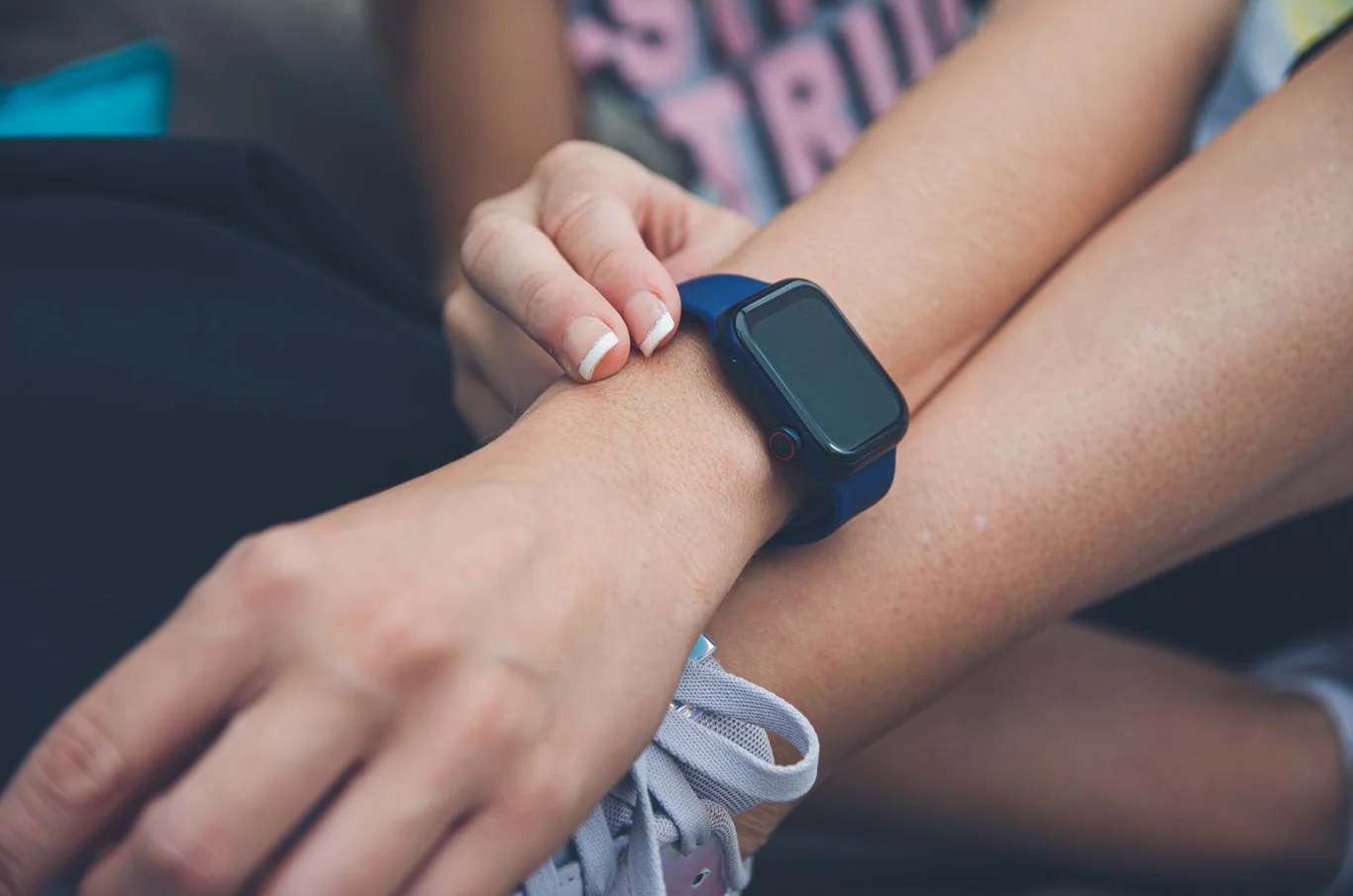
Position your fitness tracker bracelet one to two finger-widths above the wrist bone. This keeps the optical sensor over a capillary-rich zone for more reliable heart rate readings. The band should be snug but not tight - you should be able to slide one finger underneath comfortably.
During exercise, move the band slightly higher up the forearm to reduce motion artifact during high-intensity activity. This single adjustment improves optical heart rate accuracy significantly during cardio sessions (2).
For a full technical explanation of how these sensors measure each metric, including the specific error ranges peer-reviewed studies have documented, my fitness tracker overview covers the complete technology and accuracy picture.
Dominant vs. Non-Dominant Wrist
Most apps ask which wrist you are wearing the device on during initial setup. Wear your tracker on your non-dominant wrist by default - it moves less during daily tasks, which reduces false step counts from hand-intensive activities like cooking, typing, or pushing a cart.
A fitness tracker bracelet for men or women worn on the dominant hand will typically overcount steps by 15 to 20 percent during high-activity tasks. If you prefer the dominant wrist, adjust the wrist setting in your app so the device applies its built-in correction factor.
Core Metrics - What Each Measurement in Your Tracker Actually Means
Once your device is set up and worn correctly, you will see several data categories in your app. The table below shows what each metric measures and how accurate it typically is in real-world use.
Metric | What It Measures | Accuracy Level | Best Practice |
Step Count | Accelerometer-based movement counting | Moderate - tends to overestimate by 5-15% | Track weekly averages, not daily totals |
Heart Rate | Optical PPG sensor measuring blood flow | High during steady-state; lower during HIIT | Use for zone training; verify peaks manually |
Sleep | Movement and heart rate variation analysis | Moderate - often overestimates duration | Use for trend analysis, not clinical staging |
Calories Burned | Estimated from HR, age, weight, and steps | Low precision - error range of roughly 20% | Treat as rough reference, not exact tracking |
SpO2 (Blood Oxygen) | Optical sensor measuring hemoglobin saturation | Moderate - not medical-grade | Monitor for trend changes, not exact values |
A systematic review across 22 studies found that wearable trackers show high correlation for step counts but consistently underestimate energy expenditure (3). Knowing this upfront prevents frustration when calorie numbers do not match what you feel you burned.
Steps - Why Weekly Averages Matter More Than Daily Counts
Step count is the metric most people check first, and it is the one fitness trackers handle best. I look at weekly step averages rather than daily totals because single-day variability is high - a desk-heavy day can distort the whole picture.
Most trackers default to a 10,000-step daily goal. Research on step-count monitoring interventions shows that cardiovascular benefit begins well below that threshold for most adults, and that step monitors increase daily steps by an average of 1,126 in the first four months when used with intention (4). The 10,000-step target is a marketing convention, not a biological absolute.
If you are using Fitbit, my guide to how Fitbit tracks your activity covers the specific metrics the device records, the accuracy caveats for each, and which data points produce the most useful behavioral insights.
If calorie tracking is your primary use case, exploring a best calorie tracker helps you compare devices optimized for calorie-burn estimation that pair with food-logging integrations most standard fitness bands do not include.
For users who consistently struggle with wrist fit during sleep or manual work, my ankle wearable tracker picks cover dedicated ankle devices and strap adapters that eliminate wrist placement entirely.
Heart Rate - Zone Training With Your Wrist Sensor
Heart rate monitoring on fitness tracker bracelets has improved significantly. During steady-state aerobic exercise, optical sensors achieve mean errors under 5 percent compared to chest-strap ECG monitors, as validated by Helmer et al. (2022) in a clinical study measuring 1,630 heart rate readings against a gold-standard ECG. Accuracy drops during high-intensity interval work with significant wrist movement.
Most apps display heart rate zones calculated from your max heart rate (220 minus your age from your profile):
Heart Rate Zone | % of Max HR | Training Type |
Zone 1 | 50-60% | Light activity, recovery |
Zone 2 | 60-70% | Fat-burn, aerobic base building |
Zone 3 | 70-80% | Aerobic conditioning |
Zone 4 | 80-90% | Anaerobic threshold training |
Zone 5 | 90-100% | Max effort, short intervals |
Using heart rate zones turns your fitness tracker bracelet into a structured training tool rather than just a step counter.
Sleep - Tracking Trends, Not Absolutes
Sleep tracking is the metric where expectations need the most resetting. Fitness tracker sleep data should be used for trend analysis, not medical-grade sleep staging. Evenson et al. (2015) found that consumer wearables overestimate total sleep duration and struggle to accurately identify sleep stages across 22 validation studies.
That said, looking at your sleep patterns week over week is genuinely useful. If your deep sleep percentage consistently drops on nights with late screen use or alcohol, that insight alone can drive real behavior change. I use my tracker's sleep data to spot patterns, not to diagnose conditions.
For users who choose a fitness tracker bracelet without screen, sleep tracking is often the primary reason. Screen-free bands preserve significantly more battery and eliminate the light-based wake stimulus that display-equipped bands can create at night.
If you are searching for the best fitness tracker bracelet specifically, screenless options typically offer the longest battery life and most discreet wear of any fitness band form factor.
For users considering an upgrade to a GPS sport watch with ECG and notification support, my top fitness watch guide covers 11 options tested across cardiovascular monitoring depth, battery life, and platform compatibility.
Fitness Tracker Benefits - What Peer-Reviewed Research Shows
The case for fitness trackers extends well beyond casual step counting. A meta-analysis of 35 randomized controlled trials in cancer survivors found significant improvements in daily steps, moderate-to-vigorous physical activity, quality of life, and aerobic fitness through wearable tracker use, with participant satisfaction at 88 to 90 percent across trials (5).
Women who want health tracking that integrates cycle data, hormone phase patterns, and sleep quality into a unified daily picture can find picks built around that use case in my fitness tracker comparison for women.
Before selecting your next device, my fitness tracker buying criteria guide covers the specific accuracy thresholds, subscription structures, and form factor decisions that separate a device you use consistently from one that ends up in a drawer.
Among older adults, a 2025 meta-analysis of 23 RCTs (4,566 participants) confirmed that wearable tracker interventions significantly increase physical activity time and daily step counts, with a standardized mean difference of 0.58 for daily steps at immediate post-intervention (6). Chaudhry et al. (2020) showed sustained gains of over 400 steps per day at the three-to-four-year mark - a durable behavior change from a device most people buy for under $100.
A large systematic literature review examining tracker adoption across hundreds of studies found that self-monitoring and automatic data capture are the core mechanisms driving behavior change in wearable users (7). Seeing your numbers changes your behavior - but only when you check them with intention.
The core fitness tracker benefits supported by evidence include:
- Increased baseline awareness - most people significantly overestimate how much they move without data
- Accountability through streaks, daily targets, and progress visualization
- Identification of sleep patterns linked to specific lifestyle choices
- Heart rate zone monitoring for more effective and safer cardio sessions
- Long-term trend data that reveals what actually affects your energy and recovery
Setting Goals and Getting Real Results From Your Data
A fitness tracker with no defined goal is just a step counter with a backlight. Using the goal-setting features in your app turns raw numbers into a feedback loop that produces results.
Men who want that feedback loop calibrated to male training load, recovery metrics, and energy management can find picks built for that purpose in my fitness tracker comparison for men.
I recommend a three-step approach for any new tracker user:
- Establish your baseline first. Wear the tracker for two weeks without changing behavior. This gives you accurate starting numbers rather than aspirational ones.
- Set a target 15 to 20 percent above your baseline. If you average 5,000 steps, a first goal of 6,000 is far more sustainable than jumping to 10,000. Research on behavior change techniques in wearable interventions confirms that devices supporting realistic, incremental feedback drive better long-term adherence (8).
- Review weekly, not daily. Weekly trends give you a more honest picture than single-day numbers, which fluctuate based on schedule, weather, and recovery needs.
This applies to any metric - steps, sleep, heart rate zones, or calorie activity. The pattern is the same: baseline, incremental target, weekly review.
Key metrics to review on a weekly basis (not daily):
- 7-day rolling step average
- Weekly total sleep hours or sleep score
- Resting heart rate trend (best viewed over 4-6 weeks)
- Active minutes per week against your zone target
For users who want to learn how to use health tracker apps beyond the default screens, most companion apps include workout detection, coaching prompts, and third-party integrations with Apple Health, Google Fit, or Strava. Enabling these integrations keeps all your data in one place and removes the friction of switching between apps.
For readers who have not yet committed to a wearable at all, my guide on device-free step counting methods covers the most accurate alternatives using only a phone or a clip-on pedometer.
If you are building a connected home training setup around your tracker data, our guide on how to set up a smart home gym covers how wearable data fits into a broader connected fitness environment.
For readers still deciding between a dedicated band and a smartwatch, my fitness tracker vs smartwatch comparison covers the research-backed accuracy, battery, and feature differences that determine which platform serves each user profile better.
For users exploring smart home gym equipment specifically, our smart home gym guide explains how these systems interact with tracker metrics.
Common Fitness Tracker Problems and Quick Fixes
Most tracker frustrations come from three sources: wearing position, syncing issues, and data expectations.
Here is a reference for the most common problems.
Problem | Likely Cause | Fix |
Steps count during car rides or cooking | Vibration or hand movement triggers accelerometer | Review weekly totals; factor out obvious outlier activities |
Heart rate missing or erratic during exercise | Band too loose or migrated down the wrist | Slide band 1-2 inches up forearm during workouts |
App not syncing data | Bluetooth dropout or background app restriction | Force-close app, re-open, or toggle Bluetooth off and on |
Sleep shows long awake periods | Tracker shifted or band too loose during sleep | Tighten slightly; secure on non-dominant wrist before bed |
Battery draining faster than advertised | Always-on GPS, continuous SpO2, or display brightness enabled | Disable always-on GPS and continuous SpO2 in device Settings |
Calorie data seems far off | Incorrect height or weight in profile | Update profile settings in the companion app |
If your device does not appear during Bluetooth pairing, re-enable Bluetooth from your phone's main Settings rather than from within the app. This resolves the majority of pairing failures without requiring a factory reset.
Making Your Fitness Tracker Work Long-Term
The biggest predictor of long-term tracker success is consistency over precision. A tracker worn every day with imperfect data is more useful than a highly accurate device worn three times a week.
For those evaluating whether their device delivers reliable data, my breakdown of smartwatch heart rate accuracy covers where the optical sensor performs well and where it falls short.
If you are still selecting your device and want a fully tested comparison before committing, my top fitness tracker picks cover 11 wearables ranked by step accuracy, heart rate reliability, sleep staging quality, and long-term wearability.
Most people abandon fitness trackers within six months - often because they set unrealistic early goals or become overly focused on hitting daily targets at the expense of sustainable habits. A more effective model is to treat your tracker as a trend tool, not a grading system.
For a structured method that makes the data actionable, my workout tracking guide covers how to combine your tracker's output with a consistent session log.
Look at your 30-day step average rather than yesterday's count. Check whether your sleep quality improved the week you started going to bed 30 minutes earlier. Track your resting heart rate over three months - a downward trend of two to four beats per minute is one of the clearest signals that cardiovascular fitness is improving.
The best fitness tracker is the one you actually wear, and the value lies in your consistency with it rather than its specifications. Both a basic budget fitness tracker and a premium multi-sport device offer the same core data when used with intention.
For readers who find even a basic tracker feels like more technology than they need, my post on the pedometer watch option covers the simplest wrist-worn step counters that remove every sensor except the accelerometer.
If you are new to the platform or considering your first Fitbit, my Fitbit device guide covers what the hardware includes, what the app does, and what makes it the most accessible entry point in fitness tracking.
For users building a broader training environment, our best budget smart home gym guide covers equipment that integrates with wearable data. If you are reorganizing a dedicated home training space, we also have a guide on how to disassemble a treadmill for space-saving storage between uses.
FAQs
Can fitness trackers detect AFib?
Several fitness trackers can detect atrial fibrillation (AFib) using photoplethysmography sensors that measure irregular pulse patterns, including select Fitbit, Apple Watch, and Garmin models with ECG or AFib detection features. These devices function as screening tools rather than diagnostic medical devices, so any irregular reading should prompt a follow-up with a cardiologist rather than a self-diagnosis.
Do I need GPS on a fitness tracker?
GPS on a fitness tracker is worth the added cost if you run, cycle, or walk outdoor routes and want accurate distance and pace data without carrying your phone. For primarily indoor activity, step-based tracking and heart rate monitoring are sufficient, and skipping built-in GPS significantly extends battery life on most devices.
What smart watch is best for pacemaker?
No smartwatch or fitness tracker is universally cleared for pacemaker users without individual medical review, which is why consulting your cardiologist should be the first step before wearing any wearable device. Most cardiologists recommend keeping electronics at least six inches from the pacemaker site and selecting models the manufacturer has specifically verified safe for use near implanted cardiac devices.
How do you connect a fitness tracker to your phone?
To connect a fitness tracker to your phone, enable Bluetooth in your phone's Settings, download the device's companion app, and follow the in-app pairing prompts by selecting your device when it appears in the app's list. For iPhone users, also confirm Bluetooth access for the app under iPhone Settings - Privacy - Bluetooth, since this permission is separate from the main Bluetooth toggle and easy to overlook.
How to turn on fitness tracker watch?
To turn on a fitness tracker watch, press and hold the main side button for two to five seconds until the screen activates or the device vibrates to confirm it powered on. If the device does not respond, charge it for at least 15 minutes first, since many trackers ship in a deep power-saving mode that prevents the power button from registering until there is sufficient battery to boot.
For buyers who have not yet selected a device and want to start with an affordable option, my budget fitness tracker guide covers seven sub-$100 picks that deliver reliable core metrics without a subscription requirement.
References:
- Helmer P, Hottenrott S, Rodemers P, et al. Accuracy and Systematic Biases of Heart Rate Measurements by Consumer-Grade Fitness Trackers in Postoperative Patients: Prospective Clinical Trial. J Med Internet Res. 2022;24(12):e42359. doi:10.2196/42359
- Chow HW, Yang CC. Accuracy of Optical Heart Rate Sensing Technology in Wearable Fitness Trackers for Young and Older Adults: Validation and Comparison Study. JMIR Mhealth Uhealth. 2020;8(4):e14707. doi:10.2196/14707
- Evenson KR, Goto MM, Furberg RD. Systematic review of the validity and reliability of consumer-wearable activity trackers. Int J Behav Nutr Phys Act. 2015;12:159. doi:10.1186/s12966-015-0314-1
- Chaudhry UAR, Wahlich C, Fortescue R, et al. The effects of step-count monitoring interventions on physical activity: systematic review and meta-analysis of community-based randomised controlled trials in adults. Int J Behav Nutr Phys Act. 2020;17:129. doi:10.1186/s12966-020-01020-8
- Singh B, Zopf EM, Howden EJ. Effect and feasibility of wearable physical activity trackers and pedometers for increasing physical activity and improving health outcomes in cancer survivors: A systematic review and meta-analysis. J Sport Health Sci. 2021;11(2):184-193. doi:10.1016/j.jshs.2021.07.008
- Li R, Li Y, Wang L, et al. Wearable Activity Tracker-Based Interventions for Physical Activity, Body Composition, and Physical Function Among Community-Dwelling Older Adults: Systematic Review and Meta-Analysis of Randomized Controlled Trials. J Med Internet Res. 2025;27:e59507. doi:10.2196/59507
- Shin G, Jarrahi MH, Fei Y, et al. Wearable activity trackers, accuracy, adoption, acceptance and health impact: A systematic literature review. J Biomed Inform. 2019;93:103153. doi:10.1016/j.jbi.2019.103153
- Mercer K, Li M, Giangregorio L, Burns C, Grindrod K. Behavior Change Techniques Present in Wearable Activity Trackers: A Critical Analysis. JMIR Mhealth Uhealth. 2016;4(2):e40. doi:10.2196/mhealth.4461