
To set up a smart home gym, read the installation page for your exact model before you buy: ceiling height, clear floor space, outlet, wall type and who installs it all differ from one model to the next. Then plan the Wi-Fi and the membership term, since some models require a membership and some do not.
How to set up a smart home gym starts with four checks you can make before anything is delivered: where the machine stands or mounts, what power and Wi-Fi it needs, who installs it, and what membership it depends on. The answers differ from one model to the next, so every figure below belongs to one maker and one model, as that maker gave it on November 21, 2026. No installation figure carries over from one model to another. I compared the installation requirements of Tonal, the AEKE K1 and S1 Pro, and the Speediance Gym Monster 2.
How to Set Up a Smart Home Gym - Start with Space and Your Goals
Before you buy, decide where the machine will go and which of three setups you want: weights and bands, a free-standing digital-resistance machine, or a wall-mounted trainer. The setup decides how much floor, wall and outlet the room has to offer, and whether a professional has to install it.
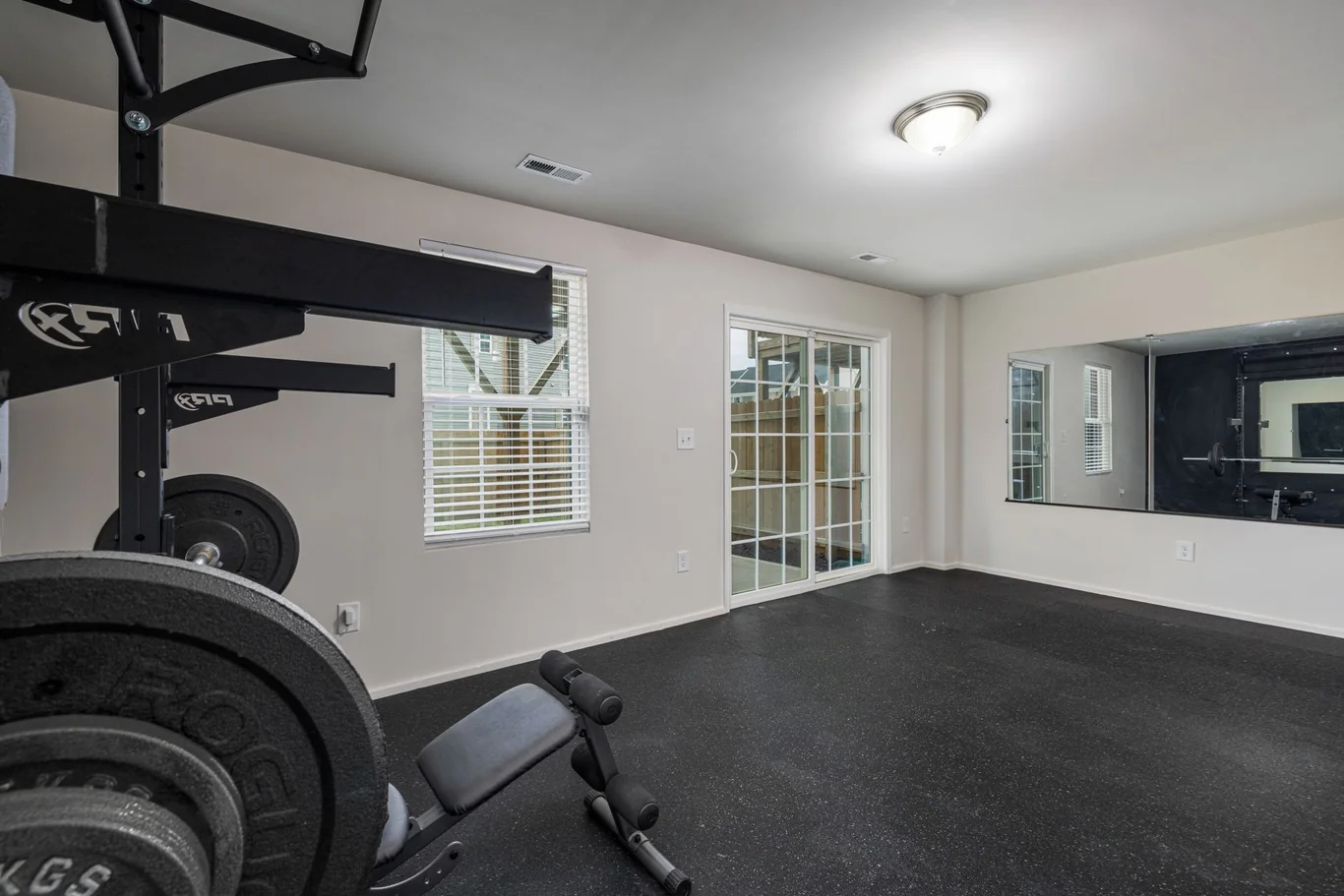
The floor space comes from the model. The AEKE K1 folds, and unfolded it measures 455 x 1452 x 1740 mm (1). The Speediance Gym Monster 2 covers 9 square feet unfolded and 2.7 square feet folded (2). That is the machine footprint, so the room needs more than that to train in. The page on quality smart home gym equipment compares other models.
Assessing Your Smart Home Gym Space Requirements
Check these against the installation page of the exact model before you buy anything:
- Ceiling height. Tonal's ideal overhead clearance is 7 feet 10 inches so the adjustable arms can fully extend, and Tonal can still work with a ceiling height of 7 feet (3). For the AEKE K1, a ceiling height of 8 ft (about 2.44 m) or more is usually enough, and ideally it is higher than your fully extended arms (1).
- Clear floor space. Leave at least 1.5 m (about 5 ft) in front of the AEKE K1 when its footboard is unfolded (1). The AEKE S1 Pro needs at least 10 cm from the wall and a free movement area at least 0.6 m larger than the training area on the side you step on, and AEKE gives a recommended training space of 1600 x 1800 x 2200 mm (1).
- Floor surface. The AEKE K1 works on carpet, but carpet adds friction when the footboard unfolds and retracts, so help the footboard by hand during those movements (1).
- Wall. Tonal is installed like a TV mount bracket and works with most wood and metal studs 16 to 24 inches apart (3). The Gym Monster 2 needs no assembly, drilling or wall mounting (2), and the AEKE S1 Pro has an anti-tip wall anchor kit on its back (1).
- Delivery route. AEKE's standard delivery is curbside: the driver brings the package to your entrance. Room of Choice is an optional paid service that does not include unpacking or installation, and the K1 package measures 75 x 61 x 185 cm and the S1 Pro package 84 x 52 x 200 cm (1).
Your goal shapes the space as much as the square footage does. A free-weight setup needs floor room for the movements you plan, and a wall-mounted trainer needs the right wall. The page on gym equipment for small spaces covers compact options.
The US physical activity guidelines ask adults to do muscle-strengthening activities of moderate or greater intensity that involve all major muscle groups on 2 or more days a week (4). That is the weekly target the equipment has to support. The page that explains what a smart home gym is covers the full scope of connected fitness options.
Choosing Equipment for Your Smart Home Gym - Three Setup Types
Equipment choice settles the installation. Three setups are compared here: weights and bands, a free-standing digital-resistance machine, and a wall-mounted trainer. The table lists what each needs, with named models as examples for the two machine types.
| Setup | Example | Installation | Power and Wi-Fi | Membership |
|---|---|---|---|---|
| Weights and bands | Adjustable dumbbells, resistance bands, mat | No installation | No outlet needed | None required |
| Free-standing digital resistance | Speediance Gym Monster 2, AEKE K1 and S1 Pro | Gym Monster 2: no assembly, drilling or wall mounting. S1 Pro: delivered fully assembled, no installation. K1: free-standing, folds | K1: 15 A outlet. S1 Pro: 20 A outlet on 110 to 120 V | K1 and S1 Pro: no monthly subscription. Speediance: most of Gym Monster's training features work without the Wellness Plan, except training plans and AI features |
| Wall-mounted | Tonal | Installed by Tonal's certified professionals; most wood and metal studs 16 to 24 inches apart | Grounded three-prong outlet within 6 feet without extension cords; continuous, reliable WiFi | Membership required for the first 12 months |
Smart Home Gym Setup Without a Machine
A setup with no machine needs no installer. Lifting weights, working with resistance bands and body-weight calisthenics such as push-ups, pull-ups and planks count as muscle-strengthening activities (4). Adjustable dumbbells have a recall record: the CPSC lists six recalls of adjustable dumbbells between February 2024 and May 2026, and each notice names weight plates that can dislodge from the handle during use (5). Check any dumbbell set against the CPSC recall list before it goes in the room. A watch is optional, and the Apple Watch and Galaxy Watch comparison covers two wearable platforms.
A machine-free setup has no membership to manage. You can add a connected machine later, once you know the room. The best smart home gym for beginners page lists starting points for readers who want a curated equipment list.
Free-Standing Smart Home Gym Setup
A free-standing machine has the shortest installation list. The Gym Monster 2 needs no assembly, drilling or wall mounting (2), and the AEKE S1 Pro is delivered fully assembled and does not require installation (1). The AEKE K1 stands on its own and has a footboard that folds at the press of a button (1). For a bike-based platform instead, the Peloton value review covers that membership.
Check the outlet and power figures for your model on the maker's current page. The AEKE figures in this guide are the ones on AEKE's US site. AEKE lists the K1 at a rated power of 1500 W, with typical use of about 20 W with the screen idle, about 100 W in daily use and about 150 W during strength training (1). Speediance publishes no outlet requirement on its Gym Monster 2 product page (2), so ask Speediance before you order.
Keep the K1 footboard area clear. Before folding, make sure the grips or crossbar are fully retracted and nothing is on the footboard. While the footboards move, don't pull the cords, and keep children and pets away (1). Users under 18 must be supervised by a parent or guardian, especially for workouts with resistance (1).
Wall-Mounted Smart Home Gym Setup
Tonal is the wall-mounted example. It is installed like a TV mount bracket and works with most wood and metal studs 16 to 24 inches apart (3). Tonal gives these requirements for "Tonal" without naming an edition, so confirm them for the unit you order. Tonal's certified installers deliver, mount and set it up, and after purchase you confirm your space details and schedule the installer (3). Fiture mirrors take a different route: Fiture recommends securing the Fiture Core and Fiture Mini to the wall before working out, especially with children or pets, and supplies stand mount hardware or a wall mount on request (6). Fiture's product page marked both mirrors sold out on November 21, 2026, so confirm availability first.
The installer route has a warranty side. Tonal's limited warranty excludes damage to your property, home, walls or floors that may result from installation or removal, and damage caused by improper installation, relocation or uninstallation, including any self-installation (7). I would let the maker's installers do the mount. The smart home gym comparison covers all-in-one systems.
A connected treadmill is a separate installation job with its own maker documents. The best treadmill for home review covers treadmill models.
Planning the Real Cost of a Smart Home Gym Setup
A key part of how to set up a smart home gym is the membership term, because the cost is more than the hardware: it also includes the membership, the delivery and installation route, accessories and the warranty. The table gives each maker's membership terms, and today's price is on the maker's own page. The NordicTrack and Peloton platform comparison covers the iFIT and Peloton platforms.
| Model | Membership | What still works |
|---|---|---|
| Tonal, first 12 months | Required: 12-month initial commitment | - |
| Tonal, after the first 12 months | Month-to-month; can be canceled or paused anytime | After cancelling: Basic Lift with the ability to increase or decrease the weight, safety features such as turning the weight on and off via the Smart Handles and Smart Bar, and WiFi settings for receiving software and firmware updates |
| AEKE K1 | No monthly subscription | All training content, which AEKE calls permanently free |
| AEKE S1 Pro | No monthly subscription | Free Workout Mode works offline; guided workout courses and AI coaching need an internet connection |
| Speediance Gym Monster | Wellness Plan | Most of Gym Monster's training features, except training plans and AI features |
Tonal requires membership for the first 12 months (8). AEKE states that the K1 and S1 Pro need no monthly subscription (1). Speediance's Wellness Plan carries the training plans and AI features of the Gym Monster, and Speediance words this for "Gym Monster" without a model number (9). A dash in the table means the cell does not apply. Warranty terms belong in the cost too: Tonal covers the trainer, including the touch screen, for 2 years and smart accessories for 1 year, and covers only the original owner (7).
In my view, pick the platform before the hardware, because each machine in the table runs on its own maker's membership terms. The best budget smart home gym page covers connected options for readers weighing the platform commitment.
Technology Foundation - Connectivity and Integration
Power and connection settle whether a delivered machine works on day one. Each maker states its own needs, and the list below keeps each one with its model.
Before the machine arrives:
- Check Wi-Fi where the machine will stand. Tonal asks for continuous, reliable WiFi (3). On the AEKE S1 Pro, guided workout courses and AI coaching need an internet connection, while Free Workout Mode works offline (1).
- Know the fallback. If home Wi-Fi is unavailable, AEKE says S1 Pro users can temporarily connect the machine to a mobile phone hotspot to reach the main interface and then switch to Free Workout Mode (1).
- Match the outlet to the model. Tonal asks for a grounded, three-prong outlet within 6 feet of the location without extension cords (3). The AEKE K1 requires a 15-ampere outlet. The AEKE S1 Pro needs a properly grounded three-prong outlet, and on 110 to 120 V power a 20 A outlet, because at 110 V the machine draws close to 12 A and a 15 A household circuit shared with other appliances can trip (1).
- Plan for a constant connection on Tonal. Tonal's limited warranty states that the product requires a constant online connection to ensure functionality (7).
- Book the installer. For Tonal, you confirm your space details after purchase and schedule the professional installers (3). AEKE Room of Choice delivery does not include unpacking or installation (1).
Plan the space around the model you choose. Fiture recommends roughly twenty-five square feet for the Fiture Core and Fiture Mini, with room to move comfortably side to side (6). The AEKE S1 Pro has an anti-tip wall anchor kit on its back, and installation guidance for it comes from AEKE support (1).
Smart Home Gym Setup and Your Health Care Provider
Setup advice here is about space, power and installation, not treatment. With osteoporosis, sciatica or another health condition, check with your doctor or physical therapist before you choose or use a machine.
If you have not been active, or have a health condition, talk with your health care provider to make sure you are healthy enough for exercise (10).
If you are unsure about doing a particular movement, the National Institute on Aging's advice for older adults is to seek guidance from your doctor or physical therapist, and to consider a session or two with a personal trainer to learn proper form (11).
You should never feel pain when exercising. If you feel pain, stop right away. Go to the hospital right away or call 911 or the local emergency number if you have chest pain during or after exercise (10).
The fitness tracker recommendations page covers wearables.
Common Mistakes When Setting Up a Smart Home Gym
Each mistake below comes from skipping a model-specific check:
- Skipping the installation page of the exact model. Ceiling clearance already differs between Tonal, where 7 feet 10 inches is ideal (3), and the AEKE K1, where 8 ft or more is usually enough (1). One model's figure is not a rule for another.
- Self-installing a wall-mounted machine. Tonal's warranty excludes damage caused by improper installation, relocation or uninstallation, including any self-installation (7).
- Leaving the footboard area unclear. On the AEKE K1, make sure nothing is on the footboard before folding, and keep children and pets away while the footboards move (1).
- Choosing a machine before reading its membership terms. Tonal requires membership for the first 12 months (8), AEKE lists no monthly subscription for the K1 (1), and Speediance states that most of Gym Monster's training features work without the Wellness Plan, except training plans and AI features (9).
- Skipping the maintenance plan. Each maker sets the upkeep for its model, so read that section before you buy. The guide to how to disassemble a treadmill covers what taking apart a motorized machine involves.
Getting the Most from Your Connected Home Gym
Setting up the room is the start of use, not the end. The Tonal strength system analysis covers who gets the most from that platform.
Three habits I would build around the setup:
- Put strength days on the calendar. The guidelines ask for muscle-strengthening on 2 or more days a week (4). In my view, a fixed weekly slot is the simplest way to hit those days.
- Leave a day between sessions for the same muscles. The National Institute on Aging says to avoid working the same muscle group on any two days in a row, in guidance written for older adults (11).
- Start light. The same guidance says to warm up for muscle-strengthening activity by doing exercises with less weight, and not to hold your breath during strength exercises (11).
The treadmill benefits page covers the cardiovascular side of home training.
Frequently Asked Questions
What is the 3-3-3 rule for gym?
The label "3-3-3 rule" is used for different routines, so it has no agreed definition. The US activity guidelines ask adults for muscle-strengthening activities of moderate or greater intensity that involve all major muscle groups on 2 or more days a week.
What gym equipment is good for osteoporosis?
This guide does not name any machine as a treatment for osteoporosis. Check with your doctor or physical therapist about which equipment and movements suit you.
How to set up a home gym for beginners?
Start with one or two goals, measure the space where the equipment will stand, and read the installation page for the exact model before you order. The US activity guidelines count lifting weights, working with resistance bands and body-weight calisthenics as muscle-strengthening activities, so a machine-free setup can begin with those.
What gym machines are good for sciatica?
This guide does not name any machine as a treatment for sciatica. Check with your doctor or physical therapist before you choose a machine, and stop right away if you feel pain.
 Tech Fitness Lab
Author
Vanja Vukas
I founded Tech Fitness Lab and hold a master's degree from the Faculty of Sport and Physical Education in Novi Sad. I have competed in sport and coached clients, and my writing has appeared on Fitness Volt and BOXROX. I research products from their manuals, spec sheets and warranty terms, and I flag thin evidence.
This content is for informational and educational purposes only. It is not a substitute for professional medical advice, diagnosis, or treatment. Always consult with your healthcare provider before starting any new fitness program or using fitness technology for health monitoring.
References
- AEKE. AEKE frequently asked questions (K1 and S1 Pro). AEKE website. Accessed November 21, 2026.
- Speediance. Gym Monster 2 product page. Speediance website. Accessed November 21, 2026.
- Tonal Systems, Inc. Tonal installation requirements. Tonal website. Accessed November 21, 2026.
- US Department of Health and Human Services. Physical Activity Guidelines for Americans. 2nd ed. US Department of Health and Human Services; 2018.
- US Consumer Product Safety Commission. Recalls of adjustable dumbbells, 2024 to 2026 (recall numbers 24-102, 24-310, 25-184, 25-311, 26-431, 26-486). SaferProducts.gov recall database. Accessed November 21, 2026.
- Fiture. Mounting information (Fiture Core and Fiture Mini). Fiture website. Accessed November 21, 2026.
- Tonal Systems, Inc. Tonal Limited Warranty. Last updated August 4, 2025. Tonal website. Accessed November 21, 2026.
- Tonal Systems, Inc. Tonal membership. Tonal website. Accessed November 21, 2026.
- Speediance. Wellness Plan frequently asked questions. Speediance website. Accessed November 21, 2026.
- MedlinePlus. Avoiding injuries during exercise. National Library of Medicine. Review date July 15, 2026.
- National Institute on Aging. Three types of exercise can improve your health and physical ability. National Institutes of Health. Content reviewed January 14, 2025.