
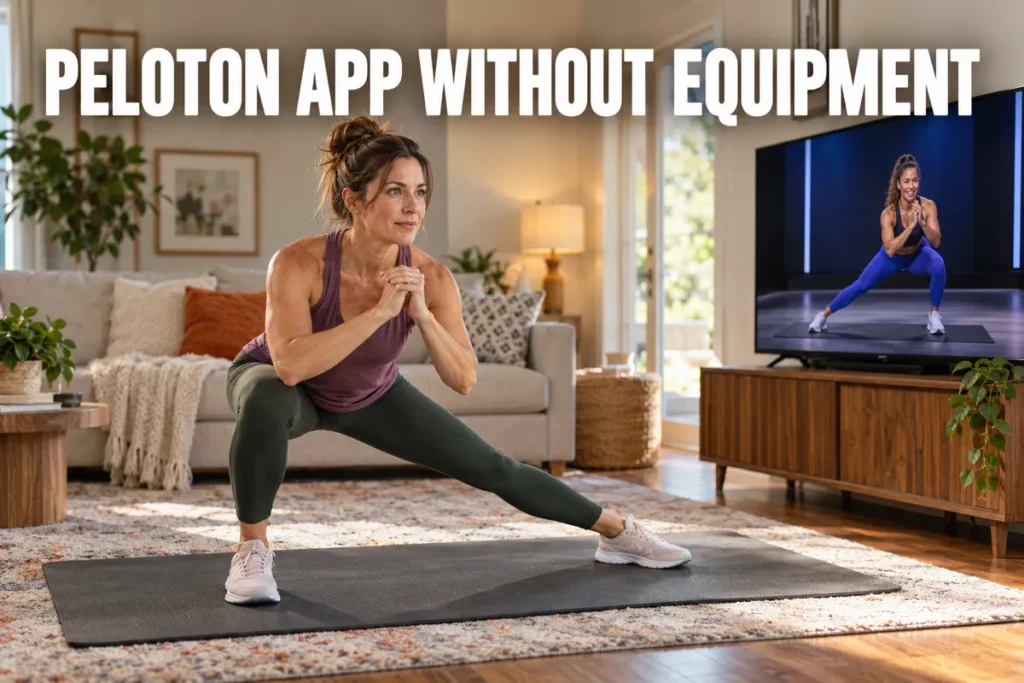
The peloton app without equipment is a complete fitness subscription that functions without a single piece of Peloton hardware - a fact most new users do not discover until after they have signed up for the wrong tier. As a strength and conditioning coach, I have worked with over 200 clients who assumed the app was useless without the bike, and every one of them was wrong. This guide covers which classes are available with zero gear, how the subscription tiers differ for non-hardware users, what the honest limitations are, and whether the monthly cost makes financial sense against what you could build elsewhere. By the end, you will have a clear picture of whether this subscription fits your situation.

Peloton App Without Equipment - What You Can Actually Do
The peloton app without equipment opens access to more than a dozen workout categories - and a substantial portion of that library runs on any flat surface from day one of the free trial. The Peloton app is designed to serve users who train on a floor, outdoors, or anywhere without a stationary machine, not just those who own the bike. Research into digital fitness platforms that deliver coached video instruction consistently shows meaningful improvements in physical function when users follow structured programs (1). That foundation matters here because the equipment-free sections of the Peloton app are fully produced, instructor-led sessions built for real outcomes.
The library includes both live scheduled classes and a growing on-demand archive. Equipment-free users have full access to both formats - live classes broadcast in real time and are archived within hours, which means you can join a yoga session as it happens or pull it from the library the same day. The app runs on iOS and Android phones, iPads, Apple TV, Amazon Fire TV, Roku devices, and web browsers, with no Peloton hardware required on any platform.
Classes That Need Zero Equipment
Yoga is the deepest no-equipment category in the peloton app without equipment. The library covers power flow, restorative, yin, and beginner-friendly formats from 5 to 60 minutes - enough range to build a complete flexibility and mobility practice without a studio or props. Meditation and breathwork classes sit alongside yoga and are entirely screen-optional: set the phone down and follow audio cues throughout the session.
Bodyweight strength is the most consistently underrated category for hardware-free users. My clients who dismissed the Peloton platform as "bike software" changed their view within a single bodyweight strength session. The instructors program push-ups, plank variations, reverse lunges, Bulgarian split squats, and full-body circuits with enough coaching depth to challenge athletes who have been training for years. Scaling cues are built into each class for beginners, so my newer clients benefit immediately without needing modification guidance from me.
Pilates runs on the same principle - mat-based progressions that build core control and joint stability without a reformer or additional props. Outdoor running and walking classes are arguably the most practical option for equipment-free users regardless of fitness level: guided audio workouts that coach you through effort, pacing, and recovery shifts anywhere you run or walk. I recommend these consistently to clients who travel frequently because they work anywhere with earbuds and shoes. No treadmill, no machine required.
For users expanding a floor-based training space, our home gym equipment exercises guide covers the most effective bodyweight and minimal-equipment movements that pair well with app-guided sessions.
Classes That Benefit From Light Equipment
Dumbbell strength and resistance band classes provide bodyweight modification cues, but the intended programming assumes some load. A single pair of adjustable dumbbells in the 8-20 pound range unlocks the full intended intensity of the strength, advanced Pilates, and bootcamp categories. Starting with no gear at all is fine, but one pair of dumbbells is the single upgrade that opens the most content in the peloton app without equipment.
For users building out a floor-based training space, our smart home gym equipment guide covers the most effective combinations to expand what the app can do for you.
Peloton App Subscription Tiers - Which One Makes Sense Without Hardware
For anyone using the peloton app without equipment as a standalone subscription, the decision narrows to two options: App One (the lower-cost tier) and App+ (the full-library tier). The All-Access membership is purpose-built for Peloton hardware owners - it connects to machine metrics, leaderboard data, and performance tracking that only functions when paired with official Peloton equipment. All-Access adds nothing functional for equipment-free users. Both App One and App+ include a 30-day free trial for new members.
App One vs. App+ - The Real Decision for Equipment-Free Users
App One works as a reasonable starting tier for users whose training centers entirely on yoga, bodyweight strength, meditation, and outdoor running or walking. The partial cycling and treadmill library restriction does not affect users without a machine to pair with those classes.
App+ becomes the correct choice the moment you add any cardio machine to your setup, even a non-Peloton one. A third-party stationary bike, including the models in my best exercise bike picks, provides access to the full cycling instructor catalog when paired with App+, including live classes and the complete on-demand library. In my experience, App One is best treated as a trial-period extension rather than a long-term tier for users who plan to add any hardware at all. My recommendation to clients who ask: start on the free trial, use it daily, and upgrade only if you find yourself hitting the library ceiling within the first two weeks.
Feature | App One | App+ |
Cost tier | Lower-cost | Full-library tier |
Best for | Yoga, bodyweight, meditation, outdoor running | Users adding any cardio machine |
Cycling and treadmill library | Partial | Full |
Free trial | 30 days | 30 days |
For users exploring subscription-free equipment that pairs with any fitness app, our fitness mirror without subscription guide covers display-based workout equipment that eliminates recurring platform costs.
Is the Peloton App Worth It Without a Bike or Tread
Deciding whether the peloton app is worth it without hardware comes down to one factor: whether instructor-led, on-demand classes make you train more consistently than free alternatives. The answer holds differently for different users, but the evidence on the mechanism is encouraging.
A 2025 meta-analysis of digital exercise app interventions across 30 studies found significant reductions in body weight among app users compared to control groups, with mixed results on physical activity levels (2). Research on mHealth fitness apps across 28 randomized controlled trials found significant increases in moderate-to-vigorous physical activity, reduced sedentary behavior, and improved fitness outcomes across the study population (3). The mechanism behind both bodies of research - structured programming with external instructor coaching - is exactly what the peloton app without equipment delivers to users training off any machine.
Where the App Delivers Genuine Value
Instructor quality is a real differentiator. The coaching staff on the Peloton platform spans motivational, educational, and technique-focused teaching styles. For users who need external accountability over solo discipline, the gap between a live class with a skilled instructor and a free online video is felt immediately.
Class duration flexibility is practically useful. 5, 10, and 15-minute formats are first-class produced content on the app. For users who train in short windows or stack multiple sessions into a day, this format variety meaningfully changes daily adherence patterns.
Content volume prevents boredom-driven dropout. Thousands of on-demand sessions across yoga, bodyweight strength, meditation, barre, Pilates, and outdoor formats mean most users will not repeat a session unless they choose to.
Cross-device access removes setup friction. The Peloton app runs on phones, tablets, and smart TVs. Casting a yoga session to a living room TV in the morning and following an outdoor run from your phone the same afternoon requires no dedicated hardware. If you want a dedicated screen for classes, my guide to the Peloton Mirror and alternatives covers what it is and what it costs.
Honest Limitations to Know Before You Subscribe
Strength classes are designed for light equipment. The most popular strength programming on the Peloton app uses dumbbells. Users who train with zero gear will follow modification cues rather than execute the intended programming. This is a genuine constraint for anyone whose primary goal is progressive resistance training.
Community features are weaker without hardware. The leaderboard-driven engagement that keeps many Peloton bike users motivated requires hardware to function fully. Equipment-free subscribers get challenge participation and some community access, but the metrics-based accountability loop does not transfer completely.
Cost-to-usage math punishes infrequent use. At App+ pricing, using the app fewer than four times per week makes the per-session cost comparison unfavorable against most gym membership options in most markets.
How it compares to free and lower-cost alternatives: YouTube offers free yoga and bodyweight content but no structured progression, no live classes, and no coaching consistency. Nike Training Club provides free workouts without a subscription tier, but the library is smaller and instructor-led outdoor audio is limited. Apple Fitness+ competes most directly on instructor quality and device integration for Apple users. The peloton app without equipment wins on content volume and live-class access; it loses on cost for casual users and on community features for anyone who trains primarily off a machine. If you are weighing platforms, I compare apps, classes, and subscription costs in my guide on iFIT versus Peloton.
Platform | Cost | Key Strength |
Peloton App | Paid | Content volume and live-class access |
YouTube | Free | Free yoga and bodyweight content |
Nike Training Club | Free | Free structured workouts |
Apple Fitness+ | Paid | Instructor quality and Apple device integration |
This subscription is best suited for users who train primarily in yoga, Pilates, outdoor running, bodyweight strength, or meditation formats. Users whose main goal is heavy resistance training, machine-based cardio, or a social gym environment will find better value elsewhere. For a complete analysis of Peloton hardware ownership costs alongside app-only alternatives, our is Peloton worth it breakdown covers the full long-term cost picture.
Getting the Most From the Peloton App Without a Bike
Building a structured weekly plan matters more than browsing the class library at random, especially once decision fatigue sets in. I lay out a sample schedule and the light equipment worth adding.
How to Build a Weekly Training Schedule
Getting the most from the peloton app without equipment requires a deliberate weekly structure rather than picking sessions at random. The class discovery problem is real: a library of thousands of sessions creates decision fatigue for users without a starting framework. Research on online exercise class platforms found that users who built structured scheduling habits showed significantly higher class frequency and sustained engagement over a 12-month period compared to those who approached the platform without preparation (4). In my coaching work, the subscribers I see sustain their peloton app without equipment membership are nearly always the ones who set a weekly schedule in the first two weeks, not the ones who browse on impulse.
A practical weekly structure for equipment-free training:
- Days 1, 3, 5 - Bodyweight strength or Pilates (20-30 min): Use the strength or Pilates category filtered by difficulty level. Rotate between two or three instructors in the first month to find the teaching style that fits you.
- Days 2, 4 - Active recovery (15-20 min): Yoga or stretching sessions. These maintain movement frequency without accumulating fatigue from strength work.
- Day 6 - Outdoor run or walk (20-45 min): Use a guided outdoor audio class. This builds aerobic capacity with no treadmill, no machine, and no gym required.
- Day 7 - Rest or meditation (10 min): The meditation category is underused by most subscribers. A short session on a rest day supports recovery and reduces week-to-week stress accumulation.
Light Equipment That Unlocks More of the Library
A randomized controlled trial found that participants following a structured digital exercise program maintained significantly higher exercise frequency - 2 to 4 sessions per week versus occasional sessions in the control group - at the 6-month follow-up (5). I've seen this pattern hold consistently: users of the peloton app without equipment who establish a gear progression pathway stay subscribed longer and report better training outcomes than those who stay static at zero equipment indefinitely.
The most effective equipment additions, ranked by how much content they unlock:
- Adjustable dumbbells (8-15 lbs): Unlocks the full strength and bootcamp library. Adjustable options save space without sacrificing range.
- A yoga mat: Not required but creates a consistent workout signal and protects joints during floor-based work. Minimal investment for regular use.
- Resistance bands: Portable, inexpensive, and compatible with Pilates, barre, and multiple strength formats throughout the app.
For users who eventually want to add dedicated cardio hardware, our treadmill without subscription guide covers cardio equipment that pairs well with the Peloton app without locking you into an additional platform fee.
The Peloton App Without Hardware - Who It Actually Works For
This subscription delivers a genuinely complete routine for some users and makes little financial sense for others, depending on how often you actually train. Here is who gets the most value from it.
Who the Peloton App Without Equipment Works For
The peloton app without equipment delivers a genuinely complete fitness experience across yoga, bodyweight strength, Pilates, barre, meditation, and outdoor running - modalities that address strength, cardio, flexibility, and recovery without a single machine. My recommendation for anyone evaluating the subscription is straightforward: start with the 30-day free trial at App One, use the equipment-free categories heavily across the full trial period, and upgrade to App+ only if you find the partial library restriction limiting your training choices within the first two weeks. If you add a bike later, I explain choosing an exercise bike by type, features, and budget.
When the Monthly Cost Does Not Pay Off
The peloton app without equipment makes the most financial sense for users who will train four or more times per week and who respond well to instructor-led accountability. For infrequent users or users whose primary modality is heavy lifting or dedicated machine cardio, the cost-per-session math rarely justifies the recurring investment. But for consistent users who value coached, flexible, equipment-free training that travels with them, this is one of the stronger no-hardware subscription options at its price point. If machine cardio is your priority, I compare machines, memberships, and costs in NordicTrack versus Peloton.
For tracking activity outside the app, our guide on tracking steps without a watch or phone covers low-cost options that complement a Peloton app routine without adding another subscription layer.
FAQs
Do you need a Peloton Bike to use the app?
You do not need a Peloton Bike to use the peloton app without equipment - the subscription works as a standalone platform on phones, tablets, and smart TVs without any hardware. The yoga, bodyweight strength, meditation, stretching, barre, Pilates, and outdoor running categories operate entirely independently of machine connectivity and are available to all app-tier subscribers from the first day of a free trial.
How do I cancel my Peloton membership?
To cancel a Peloton membership, log in at onepeloton.com, select your profile icon in the top-right corner, choose Memberships from the dropdown, and follow the cancellation steps from there. Cancellation takes effect at the end of the current billing period, so access continues through the paid-through date after the cancellation is confirmed.
What is a Peloton gym?
A Peloton gym refers to a commercial space - typically a hotel, corporate wellness center, or shared fitness facility - that houses Peloton hardware and provides All-Access membership access to users in that setting. The term is informal and does not refer to a standalone Peloton-branded gym chain or a separate consumer-facing facility concept.
Can you watch Amazon Prime on Peloton?
Amazon Prime Video is not available on Peloton hardware because Amazon removed Prime Video from the Peloton Entertainment platform, though other streaming services including Netflix and Disney+ remain accessible through Peloton Entertainment on compatible hardware. The Peloton app itself, when used on a personal phone or tablet, does not add entertainment streaming functionality beyond workout classes.
Medical Disclaimer: The information in this article is for educational purposes only and does not constitute medical advice. Consult a qualified healthcare provider before starting any new exercise program, particularly if you have a pre-existing health condition, injury, or are returning from a period of inactivity.
References
- Davergne T, Meidinger P, Dechartres A, Gossec L. The effectiveness of digital apps providing personalized exercise videos: systematic review with meta-analysis. J Med Internet Res. 2023;25(1):e45207. doi:10.2196/45207.
- Motevalli M, Drenowatz C, Tanous D, et al. Guideline-based digital exercise interventions for reducing body weight and fat and promoting physical activity in adults with overweight and obesity: systematic review and meta-analysis. JMIR Interact J Med Res. 2025;14(1):e73656. doi:10.2196/73656.
- Wang JW, Zhu Z, Zhang S, et al. Effectiveness of mHealth app-based interventions for increasing physical activity and improving physical fitness in children and adolescents: systematic review and meta-analysis. JMIR mHealth uHealth. 2024;12(1):e51478. doi:10.2196/51478.
- Phillips LA, More KR, Lamoureux NR, et al. A full-factorial test of motivational and volitional intervention strategies for promoting exercise habit formation and exercise maintenance among new users of an online exercise class platform. Appl Psychol Health Well Being. 2025;17(1):e12597. doi:10.1111/aphw.12597.
- Barun B, Divic Z, Martinovic Kaliterna D, et al. Mobile app intervention increases adherence to home exercise program after whiplash injury - A randomized controlled trial (RCT). Diagnostics. 2024;14(23):2729. doi:10.3390/diagnostics14232729.