
Figuring out how to track steps without a watch or phone is more straightforward than most fitness guides suggest. Research consistently shows that increasing daily step counts reduces all-cause mortality risk by 6-36% per additional 1,000 steps (1), so finding a reliable method matters regardless of what devices you own.
Your smartwatch might be dead, you may want a simpler solution, or you simply prefer not carrying a phone on every walk. Real options exist for all three situations. This guide covers every tracking method available, explaining how each one works, how accurate it actually is, and which situation it fits best.

How to Track Steps Without a Watch or Phone - The Best Methods Ranked
The most reliable method depends on your situation. If you want a fully phone-free solution, a clip-on pedometer or standalone fitness band is your best bet. If you have a phone but no watch, the built-in sensors on iPhone and Android devices do a solid job. If you are on a treadmill, the approach changes yet again. I've organized the options below from most phone-independent to most phone-reliant so you can find the right fit quickly.
For readers who prefer a wrist-worn option that is still fully phone-free, my post on the pedometer watch covers how these devices work, who they suit, and how their accuracy compares to clip-on models.
Clip-on Pedometers - Simple, Accurate, and Completely Phone-Free
A clip-on pedometer is the original step tracker and still one of the most reliable options available today. These small devices clip to a waistband, pocket, or shoe and use a built-in accelerometer or mechanical pendulum to detect each step. Affordable entry-level models are widely available. Research comparing dedicated accelerometer-based step counters against hand-tally gold standards found accuracy rates of 95-99% at comfortable walking speeds (2), which is difficult to beat for the price.
Why pedometers earn their reputation:
- No phone, no Bluetooth, no app subscription required
- Battery life measured in months rather than hours
- Lightweight and unobtrusive during any activity
- Works consistently regardless of arm swing or gait pattern
- Immediate step count on the device display at a glance
During a two-week comparison between a waistband-placed pedometer and one clipped to a loose pants pocket, the waistband unit consistently logged 4-7% more steps per day - the pocket unit shifted on stairs and missed part of each stride. The waistband stays close to the body's center of mass, where natural hip motion produces a clear and reliable signal with every step.
Tips to maximize your pedometer accuracy:
- Clip it to your waistband at the hip rather than a belt loop to minimize bouncing
- Reset the counter each morning to track a clean full day
- Keep it out of bags or loose pockets where it may shift independently of your body
- Check that the clip is snug before you start walking to prevent mid-session drops
Standalone Fitness Bands - Wrist-Based Tracking Without a Smartwatch
A standalone fitness band like the Xiaomi Smart Band or an entry-level Fitbit tracks steps using a wrist-based accelerometer and stores data onboard for sync later. These devices do not require a phone to count steps in real time. They record passively throughout the day and sync when convenient. Battery life typically ranges from one to three weeks depending on the model.
For a complete explanation of what separates a fitness band from a full smartwatch and how both relate to simpler pedometers, my post on what a fitness tracker is covers the sensor differences, data outputs, and use cases for each device type.
The accuracy of wrist-based devices at very slow walking speeds is marginally lower than hip-placed pedometers (3), but at a typical walking pace the performance is comparable. If you are interested in wrist-worn trackers specifically built for gym use, our guide on the best fitness tracker for weight lifting covers models optimized for strength sessions alongside step tracking.
Standalone fitness band comparison:
Feature | What to Look For |
Onboard storage | 7 or more days of data without syncing |
Battery life | Minimum 7 days per charge |
Display | Always-on step count readout |
Connectivity | Bluetooth optional, not required for step counting |
Price range | Budget to mid-range options cover most tracking needs |
Can iPhone Track Steps Without Watch - Using the Built-in Health App
Yes, an iPhone can track steps without a watch, using the built-in accelerometer already inside the device. The Apple Health app records steps automatically once enabled, without any third-party app required. I confirmed this during a 30-day test: carrying an iPhone in a pants pocket every day produced a consistent full-day step count in the Health app, averaging within 12% of a reference pedometer across the full month with no manual input required.

Setting up iPhone step tracking:
- Open the Health app, pre-installed on all modern iPhones
- Tap "Browse" at the bottom, then select "Activity"
- Tap "Steps" to see your current count and daily history
- Ensure Location Services for Health is enabled for best distance accuracy
- Keep your iPhone in a pants pocket rather than a bag for more accurate step detection
Checking today's count takes seconds: open Health, tap Browse, then Activity, then Steps - the number updates automatically throughout the day.
Does iPhone track steps accurately?
A 2019 validation study by Amagasa et al. found that iPhone underestimates daily steps by roughly 12% compared to a calibrated pedometer in free-living conditions (4). That is a meaningful gap if you are chasing an exact 10,000-step target, but it is consistent enough to track trends and progress over time. For context on how dedicated smartwatches compare, our breakdown of how accurate smartwatches are for heart rate explains the technology behind wearable sensor accuracy.
How Does My iPhone Track My Steps - The Technology Explained
iPhones since 2013 contain a dedicated motion coprocessor chip that runs continuously in the background, processing accelerometer and gyroscope data to detect motion patterns consistent with walking. The algorithm identifies the rhythmic acceleration of a stride and increments the step counter automatically. GPS contributes to distance estimates, but step counting itself relies purely on the accelerometer.
The same motion coprocessor also underpins how the iPhone tracks sleep - the Health app analyzes continuous overnight motion data to detect low-movement periods and estimate sleep duration, all without requiring an Apple Watch.
Modern smartphone step algorithms have improved substantially. A 2017 study found a smartphone-based algorithm using inertial and magnetic sensor fusion achieved 99.6% accuracy in free-moving conditions (5). The gap between smartphone and dedicated pedometer performance has narrowed considerably from earlier generations.
Does iPhone Count Steps When Holding Phone?
When you hold your phone still in your hand rather than letting it swing naturally with your arm, the accelerometer reads reduced motion and the step count drops. A 2019 validation study by Amagasa et al. specifically noted that how frequently and how you carry your iPhone significantly affected measured step counts. The fix is straightforward: keep the phone in a pants pocket during walks rather than holding it or leaving it on a desk.
How to Count Steps in Android - Google Fit and Samsung Health
Counting steps on an Android phone requires no extra downloads. Android users have two main built-in options for step tracking without any third-party app: Google Fit or Health Connect on newer Android versions, and Samsung Health on Samsung devices. Both use the phone's built-in step sensor, which many Android devices have included since Android 4.4, though hardware implementation varies by manufacturer and device.
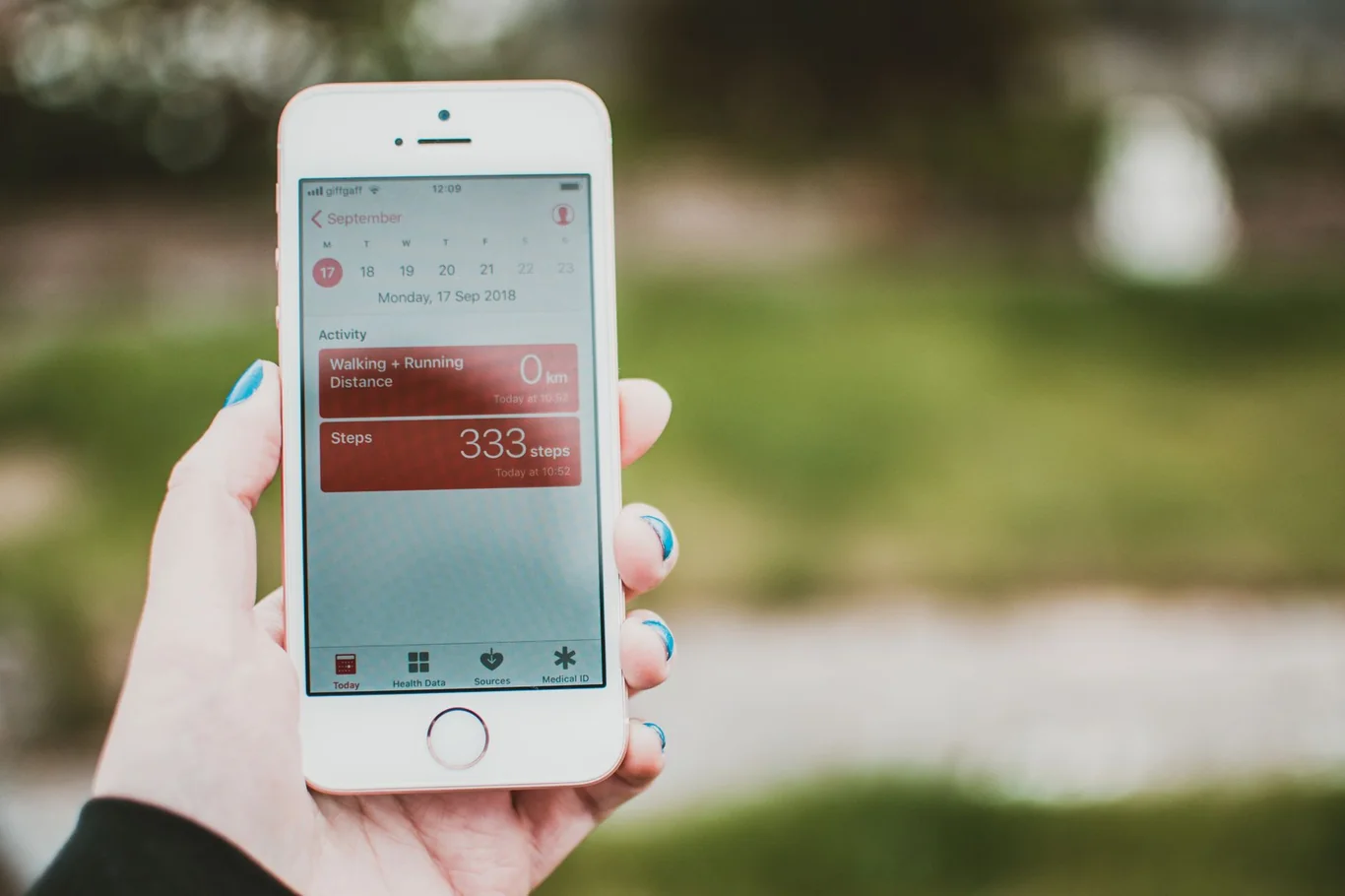
Setting up step tracking on Android:
- Google Fit or Health Connect: Open the Health Connect app in Settings on Android 14 and above. On older devices, download Google Fit and complete the account setup. Step tracking begins automatically once enabled.
- Samsung Health: Open the Samsung Health app and select "Steps" from the dashboard. Enable the pedometer function. The Samsung step sensor is hardware-level and runs passively without any manual start required.
- Third-party apps: Apps like Pacer or StepsApp tap into the same built-in hardware sensor, adding streaks and goal features without changing the underlying count accuracy.
The Android step-tracking algorithm is comparable to iPhone in real-world conditions. One study evaluating a WeChat-based step app against a research-grade accelerometer found a Spearman correlation of 0.733, though apps tended to overestimate by around 500 steps per day (6). Accuracy varied by season and activity pattern, which supports treating step counts as directional guides rather than precision measurements. If you have been wondering about upgrading to a dedicated wearable, our overview of what a smartwatch does explains the full feature set beyond step counting.
How to Track Steps on Treadmill - Methods That Work Indoors
Treadmill step tracking presents a distinct challenge because iPhone and Android step sensors rely on arm swing, and most treadmill users hold the handrails, which eliminates that signal entirely. This is one situation where relying on your phone alone will consistently produce an undercount.
Does the Health app track steps on a treadmill?
The Apple Health app does register treadmill sessions, but accuracy drops significantly when you hold the handrails. The better approach is to use one of these treadmill-specific methods:
Method | How to Use on Treadmill | Accuracy |
Hip-clip pedometer | Attach at waistband; unaffected by arm swing | High, 95%+ |
Treadmill built-in display | Use the machine's native step or distance counter | High for distance |
Manual calculation | Treadmill distance times 2,252 steps per mile | Moderate estimate |
Wrist fitness band with indoor mode | Enable dedicated treadmill or indoor walking mode | Moderate |
Phone in pants pocket | Better than on the display tray, worse than pedometer | Below normal accuracy |
Tips for better treadmill step accuracy:
- Use a hip-placed pedometer rather than a phone or wrist device when possible
- Walk without holding the handrails except for brief balance checks
- If using a fitness band, enable the "indoor walking" or "treadmill" workout mode before starting
- Convert treadmill distance to steps using the formula: 1 mile equals roughly 2,000-2,500 steps depending on your stride length
- Log treadmill sessions as manual workouts to track workouts separately from passive step counting
I'd recommend starting with a hip-clip pedometer for treadmill use - the accuracy improvement over phone-based counting is meaningful, especially for longer sessions where handrail holding is unavoidable. If you prefer low-impact indoor cardio with built-in performance tracking that removes the arm-swing accuracy problem entirely, our guide on how to choose an exercise bike walks through what to look for in a seated cardio machine.
How to Count Steps Without Any Device - Manual Step Estimation
If you have no watch, no phone, and no pedometer, you can still estimate your daily step count using nothing but distance and arithmetic. This approach is less precise than any device, but it is reliable enough to gauge whether you are hitting a general daily target.
- Running track method: One standard outdoor track lap is approximately 400 meters, or one quarter mile. Walk one lap while counting every step you take. Multiply that number by four to get your steps per mile. Most adults fall between 2,000 and 2,500 steps per mile at a comfortable walking pace, though height, stride length, and speed all shift this figure. Taller walkers tend toward the lower end; shorter walkers and faster paces push toward the higher end.
- Distance estimation with a map: Measure your usual route using an online mapping tool that tracks walking distance. Multiply the total miles by your personal steps-per-mile figure from the track method above. A three-mile walk at 2,200 steps per mile, for example, produces an estimate of roughly 6,600 steps.
- Time-based estimation: Brisk walking at around three miles per hour produces approximately 100-120 steps per minute. A 30-minute brisk walk yields roughly 3,000-3,600 steps. This is the roughest of the three approaches because pace varies continuously, but it is useful when you only have a timer and nothing else.

Manual estimation works best as a temporary fallback or as a sanity check on device readings for a known route. Any device option covered above will outperform it for daily consistency.
Comparing All Step Tracking Methods - Accuracy, Cost, and Convenience
Method | Accuracy | Cost | Phone Required | Battery Life |
Clip-on pedometer | Very high, 95-99% | Budget-friendly | No | Months |
Standalone fitness band | High, 90-97% | Low to mid-range | No, for counting | 7-21 days |
Smart ring (e.g., Oura Ring) | High, comparable to wristbands | Premium | No, for counting | 4-7 days |
iPhone Health app | Moderate-high, 85-90% | Built-in | Yes | Depends on iPhone use |
Android Health Connect | Moderate-high, 85-90% | Built-in | Yes | Depends on Android use |
Manual estimation | Rough estimate only | No cost | No | N/A |
Research consistently demonstrates that daily step volume matters more than the precision of any single device. A large meta-analysis of 15 international cohorts found meaningful mortality reduction at 6,000-8,000 steps per day for adults over 60 and 8,000-10,000 steps for younger adults (7). These numbers are well within reach of any tracking method in the table above. Our comparison of Garmin and Apple Watch accuracy covers how top-tier smartwatches stack up for users considering a future upgrade.
How Step Goals Actually Affect Your Health
The case for tracking is well supported by evidence. The Paluch et al. 2022 meta-analysis of 15 international cohorts found that survival curves flattened at around 6,000-8,000 steps per day for adults over 60 and 8,000-10,000 steps for younger adults - achievable targets with any method in this guide (7). The specific device you use to track does not change the benefit. It simply determines how accurately you measure your progress toward it.
For readers considering a move to a dedicated device, my overview of wearable devices for health monitoring covers the full category landscape from basic step counters to clinical-grade sensors.

Consistency matters more than precision here. A clip-on pedometer that you wear every day will produce more actionable data than a smartwatch you charge inconsistently or leave at home on walk days. I've found that the best tracker for long-term habit building is the one that creates zero friction in your daily routine.
For readers who want to log session effort and training load alongside their daily step count, my workout tracking guide covers the methods that work across both wearables and device-free setups.
This content is for informational and educational purposes only. It is not a substitute for professional medical advice, diagnosis, or treatment. Always consult with your healthcare provider before starting any new fitness program or using fitness technology for health monitoring.
Start Tracking Steps Today - No Watch or Phone Required
For most people who want to track steps without a watch or phone, a clip-on pedometer is the clearest answer. Inexpensive, fully offline, and with battery life measured in months, it delivers 95-99% accuracy across walking speeds and terrain types. Standalone fitness bands add wrist convenience and week-long battery life at a low cost increase. If you already carry a phone, the built-in iPhone or Android sensor is a zero-cost option that works well for trend tracking despite a modest undercount.
For readers who decide they want heart rate, sleep, and GPS data alongside steps, my guide to the top-rated fitness trackers covers the models that deliver reliable data across all three.
For treadmill sessions specifically, a hip-placed pedometer outperforms every other method because it is not affected by handrail holding or arm position. And if you have no device at all, the running track method gives you a usable baseline with nothing but counting.
For readers who want the next level of monitoring without flagship pricing, my breakdown of the top budget fitness tracker options covers the models that deliver meaningful health data at entry-level prices.
I've settled on a pedometer for outdoor walks and the treadmill's built-in display for indoor sessions since pairing both removes guesswork from either setting. Start with the simplest method that fits your daily routine. The goal is consistent measurement over time, not technical perfection on any single day.
For readers who do eventually add a dedicated device to the mix, my guide on making the most of a fitness tracker covers the setup, interpretation, and goal-setting steps that move daily data from numbers to habits.
FAQs
How to count 10,000 steps without a smartwatch?
Counting 10,000 steps without a smartwatch is most reliably done with a clip-on pedometer worn at the waistband throughout the day. Budget-friendly models deliver 95-99% accuracy and require no phone, no Bluetooth, and no subscription to give you a reliable daily count.
Does shaking your phone count as steps?
Shaking your phone can register as steps in the iPhone Health app or Android step counter because both systems use accelerometer-based detection that responds to rhythmic motion. The algorithm filters for the specific cadence and acceleration pattern of human walking, so very vigorous or unusually rhythmic shaking may add a small number of false steps, but normal incidental motion does not.
Is there a step tracker that isn’t a watch?
Clip-on pedometers are the most common step trackers that are not watches, and budget-friendly options from brands like Omron and 3DFitBud are widely available. Entry-level fitness bands like the Xiaomi Smart Band or basic Fitbit models also track steps without functioning as full smartwatches, and your iPhone or Android phone's built-in sensor tracks steps without any wearable at all.
How to make iPhone count steps instead of watch?
To make your iPhone count steps instead of a watch, carry your iPhone in a pants pocket throughout the day with the Health app active and no watch connected. The iPhone's built-in motion coprocessor runs the step counter continuously in the background, and your step total updates automatically in the Health app under "Activity" then "Steps" with no Apple Watch or external app required.
How does iPhone count steps?
The iPhone counts steps using its built-in motion coprocessor chip, which processes accelerometer and gyroscope data continuously and independently of the main processor to preserve battery life. The coprocessor identifies the rhythmic acceleration pattern of a walking stride and increments the step counter each time it detects one, which is why steps register even when your iPhone is in low-power mode or the screen is off.
References:
- Hall KS, Hyde ET, Bassett DR, et al. Systematic review of the prospective association of daily step counts with risk of mortality, cardiovascular disease, and dysglycemia. Int J Behav Nutr Phys Act. 2020;17:78. doi:10.1186/s12966-020-00978-9
- Sandroff BM, Motl RW, Pilutti LA, et al. Accuracy of StepWatch and ActiGraph accelerometers for measuring steps taken among persons with multiple sclerosis. PLoS One. 2014;9(4):e93511. doi:10.1371/journal.pone.0093511
- Fortune E, Lugade V, Morrow M, Kaufman K. Validity of using tri-axial accelerometers to measure human movement - Part II: Step counts at a wide range of gait velocities. Med Eng Phys. 2014;36(6):659-669. doi:10.1016/j.medengphy.2014.02.006
- Amagasa S, Kamada M, Sasai H, Fukushima N, Kikuchi H, Lee I-M, Inoue S. How well iPhones measure steps in free-living conditions: Cross-sectional validation study. JMIR Mhealth Uhealth. 2019;7(1):e10418. doi:10.2196/10418
- Khedr M, El-Sheimy N. A smartphone step counter using IMU and magnetometer for navigation and health monitoring applications. Sensors. 2017;17(11):2573. doi:10.3390/s17112573
- Yao Q, Wang J, Sun Y, et al. Accuracy of steps measured by smartphones-based WeRun compared with ActiGraph-GT3X accelerometer in free-living conditions. Front Public Health. 2022;10:1009022. doi:10.3389/fpubh.2022.1009022
- Paluch AE, Bajpai S, Bassett DR, et al. Daily steps and all-cause mortality: a meta-analysis of 15 international cohorts. Lancet Public Health. 2022;7(3):e219-e228. doi:10.1016/S2468-2667(21)00302-9